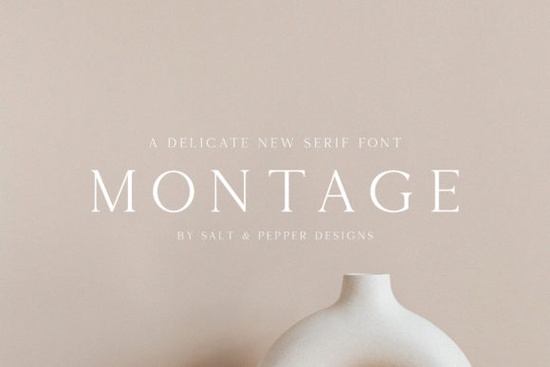
If you're looking for a serif font that feels refined without being fussy, Montage Font might be exactly what your next project needs. With its thin letterforms and understated elegance, it brings a sense of quiet luxury to everything from wedding invitations to boutique packaging without overwhelming your layout.
Unlike bold or highly decorative serifs, Montage leans into subtlety. Its authentic, hand-drawn character gives it warmth, while the delicate stroke weight keeps it feeling modern and airy. That balance makes it especially useful for designers who want sophistication but still need readability at smaller sizes.
When should you use Montage Font?
This font shines in projects where tone matters as much as typography:
- Branding for luxury goods – Think skincare labels, candle packaging, or artisanal food products.
- Editorial design – Magazine headlines, quote callouts, or chapter openers benefit from its graceful presence.
- Personalized stationery – Wedding suites, thank-you cards, or custom gift tags feel elevated with Montage’s refined lines.
- Print-on-demand items – Mugs, tote bags, or wall art with minimalist quotes look intentional, not cluttered.
Because it’s a thin serif, avoid using it for body text or in low-resolution digital contexts (like social media thumbnails) where fine details may disappear. It’s best reserved for display purposes where viewers can appreciate its nuance.
How does Montage compare to other elegant serifs?
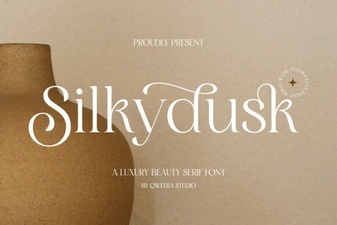
Not all delicate serifs are created equal. For example, if you’ve used SilkyDusk, you’ll notice it has slightly more contrast and a vintage flair great for romantic themes. Montage, by comparison, feels more contemporary and restrained, making it versatile across both classic and modern aesthetics.
Then there’s Old String, which leans into rustic charm with uneven baselines and textured strokes. That works beautifully for farmhouse-style designs or heritage branding, but it’s not the right fit when you need clean, polished minimalism.
Montage sits comfortably between these two: structured enough for professional use, yet full of personality. You can explore how it stacks up visually by checking out the Montage Font page on Creative Fabrica, where you’ll see real-world mockups and alternate glyphs.
Tips for pairing Montage with other fonts
Since Montage is so light and detailed, pair it with something grounded:
- A neutral sans-serif like Helvetica Neue, Inter, or even system fonts (San Francisco, Segoe UI) for clear contrast.
- A medium-weight serif such as Merriweather or Lora if you need hierarchy within a serif family but keep the secondary font simpler.
- Avoid pairing with other ultra-thin fonts; the combination can feel fragile or hard to read.
For color, deep neutrals (charcoal, espresso, slate) let Montage’s form shine. On light backgrounds, consider a soft black (#333333) instead of pure black to maintain its delicate mood.
Who is this font really for?
Montage isn’t just for high-end designers. Small business owners creating their own product labels, Etsy sellers designing printable planners, or hobbyists making custom greeting cards will find it approachable. The key is intentionality if your project calls for calm sophistication rather than loud impact, Montage delivers.
And because it’s available through Creative Fabrica’s subscription model, you can test it alongside thousands of other assets without a big upfront cost. That’s especially helpful if you’re experimenting with different typographic directions.
Before you commit, ask yourself: Does my design need whisper-quiet elegance or bold statement energy? If it’s the former, Montage is worth a try.
Next steps before downloading
Make sure your software supports OpenType features (most modern design apps do), so you can access any stylistic alternates or ligatures included. Also, check licensing Creative Fabrica typically includes commercial use, but always verify based on your specific use case (e.g., merchandise vs. client work).
Quick checklist before using Montage Font:
- ✅ Use only for headings, logos, or short phrases not body text.
- ✅ Pair with a sturdy, neutral typeface for balance.
- ✅ Test print output or high-res previews to ensure thin strokes render clearly.
- ✅ Confirm your Creative Fabrica license covers your intended use (personal, POD, client projects, etc.).
If those boxes are checked, Montage could become a go-to for adding subtle polish to your creative work without saying a word too loudly.
Get Started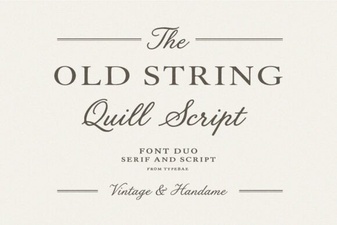 Designs Using Vintage String Typography
 Silkydusk Font for Elegant Designs & Projects
 Alina Monogram Font for Elegant Branding & Design
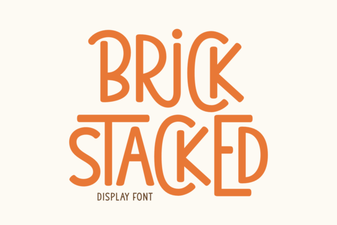 Design Your Site with Stacked Brick Typography
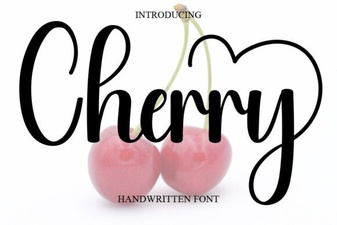 Cherry Font for Modern Design Projects
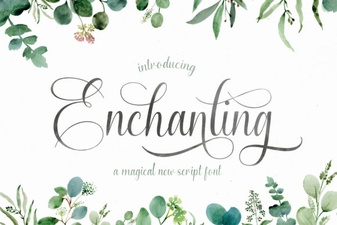 Creative Projects with Enchanting Script Fonts