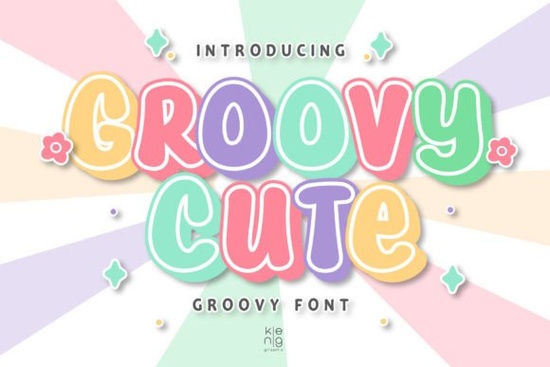
If you're looking for a display font that’s playful but still packs a visual punch, the Groovy Cute Font might be exactly what your next project needs. Designed with bold curves and energetic letterforms, it brings a youthful, confident vibe to everything from social media graphics to custom apparel. Whether you’re a print-on-demand seller crafting t-shirt designs or a hobbyist making birthday cards, this font helps your message stand out without trying too hard.
What makes Groovy Cute Font work so well for creative projects?
Unlike minimalist sans-serifs or formal scripts, Groovy Cute Font leans into its personality. The letters have exaggerated proportions and soft edges that feel friendly yet assertive perfect for anything targeting a younger audience or aiming for retro-modern charm. It’s especially effective when you want text to act as both message and visual element, like in comic-inspired posters, mobile game UIs, or even motivational quote prints.
You’ll find it pairs nicely with simpler fonts for body text, but on its own, it holds attention. That’s why it’s become a go-to for designers working on:
- Custom greeting cards and invitations
- YouTube thumbnails and Instagram story overlays
- Merchandise like mugs, tote bags, and kids’ apparel
- Event flyers with a fun, upbeat tone
How does it compare to other playful display fonts?
If you’ve browsed Creative Fabrica’s display font collection, you’ve probably seen options like Bubble Skelly, which leans more into spooky-cute aesthetics, or Barbie Vintage, which channels 80s nostalgia with sleek curves. Groovy Cute Font sits somewhere in between it’s not overly thematic like Bubble Skelly, nor as era-specific as Barbie Vintage. Instead, it offers broad appeal with just enough quirk to feel fresh.
For a softer, floral-inspired alternative, you might also consider Crafty Bloom, which blends hand-drawn warmth with elegance. And if your project leans into 70s revival trends, Back to Vintage delivers that groovy texture with more organic, wavy strokes. But if you want something clean, bold, and instantly readable at large sizes, Groovy Cute Font strikes a reliable balance.
Where should you avoid using this font?
While versatile, Groovy Cute Font isn’t ideal for every context. Because of its stylized shapes, it’s best reserved for headlines, logos, or short phrases not paragraphs of body copy. It also may not suit brands aiming for professionalism, luxury, or minimalism. Think of it as a spotlight font: use it when you want one line to grab attention, not when you need quiet consistency across a full layout.
Also, check legibility at smaller sizes. Some characters (like lowercase “a” or “g”) have unique forms that can blur together if scaled down too far. Always test your design mockup before finalizing, especially for printed products.
How to get the most out of Groovy Cute Font in your workflow
Once you’ve downloaded the font from Groovy Cute Font, install it on your system or import it directly into design tools like Canva, Adobe Illustrator, or Procreate. Most users find it works best with generous spacing try increasing letter-spacing slightly to let each character breathe.
For extra impact, pair it with bright, saturated colors or retro gradients. It shines against simple backgrounds where the typography itself becomes the focal point. And don’t forget to explore stylistic alternates if your software supports OpenType features some versions include swash characters or alternate glyphs for added flair.
Remember: even the cutest font won’t save a cluttered design. Keep surrounding elements minimal so the typeface can do its job.
Ready to try it?
If your current projects feel a little flat or generic, introducing a font like Groovy Cute Font can add instant energy. Just make sure it aligns with your brand voice and audience expectations. For crafters and small businesses, it’s a low-effort way to refresh product listings or social content without overhauling your entire style guide.
Before you download, ask yourself:
- Is my message short and meant to stand out? (Ideal for this font)
- Am I targeting an audience that appreciates fun, bold visuals?
- Have I tested readability at the size I’ll actually use?
- Does it complement not clash with my existing color palette and imagery?
If you answered yes to most of these, Groovy Cute Font could be a smart, expressive addition to your toolkit.
Get Started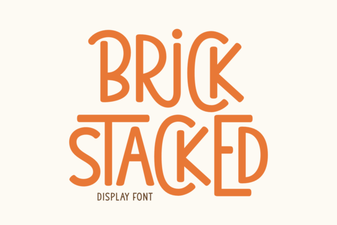 Design Your Site with Stacked Brick Typography
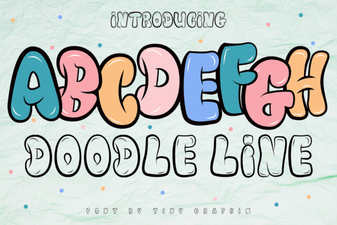 Creative Projects with a Doodle Line Font
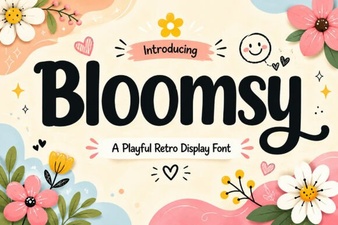 Bloomsy Font: a Creative Touch for Your Projects
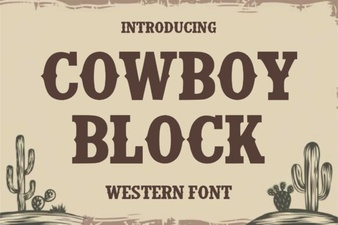 Cowboy Block Font for Creative Diy Projects
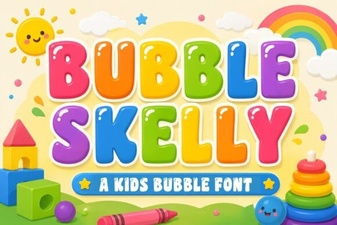 Bubble Skelly Font for Fun Web Design Projects
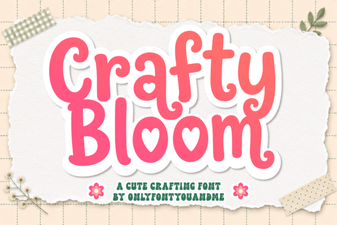 Crafty Bloom: the Creative Font for Diy Projects